Automate mission-critical operations
For: Capacity and operations
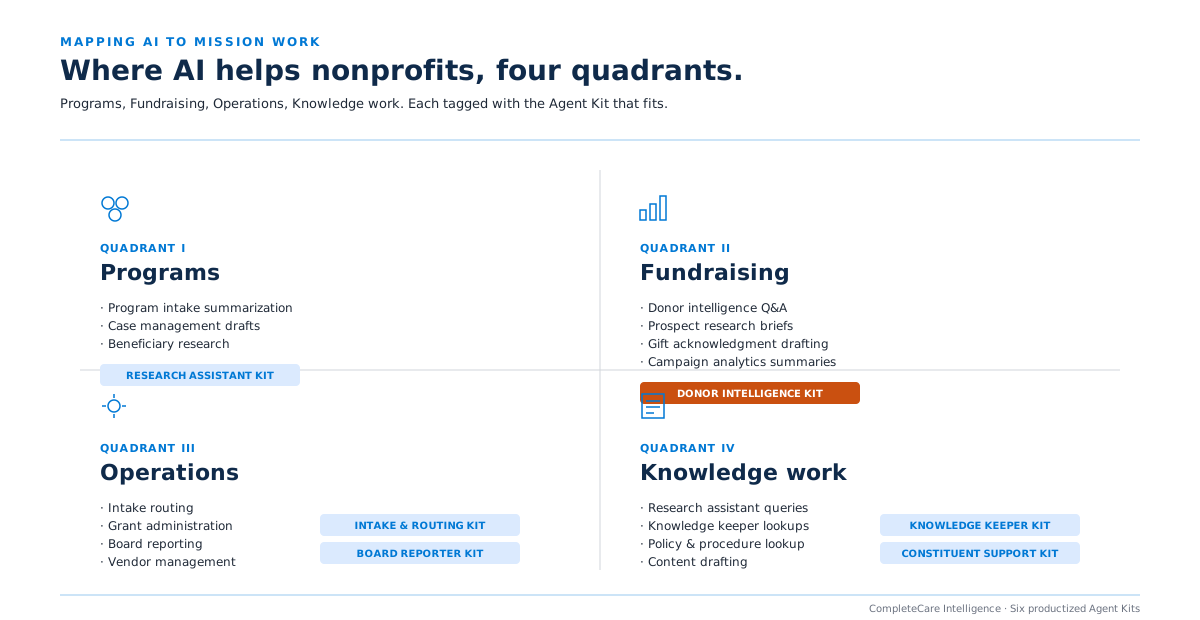
Intake, approvals, document handling, research, drafting, routing, recurring coordination.
- Relevant paths
- AI Agents & Automation
- Agent Launchpad
- CompleteCare Automate
Microsoft + AI for nonprofits
Centered Networks helps nonprofit leaders start with the outcome that matters, whether that is capacity, revenue, impact, access, or resilience, then apply Microsoft 365, Copilot, agents, data, security, and automation where they create practical value.
What nonprofit leaders are balancing
The same organization can be managing staff capacity, funding pressure, reporting demands, access barriers, and AI risk at the same time. The right starting point is the pressure that matters most now.
Recurring administration, duplicate effort, approvals, research, drafting, intake, and handoffs constrain mission delivery.
Outcome: Return capacity to higher-value work.
Question worth asking: Where is manual work consuming staff time or slowing service delivery?
Explore this pressure in the Finder 02 Revenue and relationshipsTeams need better insight, follow-up, stewardship, and coordination without turning every interaction into more administrative work.
Outcome: Build stronger, more sustainable supporter relationships.
Question worth asking: Where could better insight improve retention, engagement, stewardship, or revenue?
Explore this pressure in the Finder 03 Impact and accountabilityProgram, finance, grant, and funder information is fragmented or reconciled by hand.
Outcome: Create trusted evidence of impact and stewardship.
Question worth asking: How much effort goes into bringing program, finance, grant, and funder data together?
Explore this pressure in the Finder 04 Access and knowledgeStaff, partners, and communities run into knowledge, communication, language, accessibility, or channel barriers.
Outcome: Make trusted information easier to access and act on.
Question worth asking: Where are knowledge, accessibility, or communication barriers limiting service or decisions?
Explore this pressure in the Finder 05 Trust and resilienceSecurity, privacy, permissions, governance, responsible AI, compliance, and continuity questions are slowing confident adoption.
Outcome: Build trusted, secure, resilient operations.
Question worth asking: What has to be true before leadership can trust AI as a dependable part of operations?
Explore this pressure in the FinderFrom pressure to practical use case
Each pressure maps to a kind of work where Microsoft capabilities, applied carefully, tend to pay off. These are directions to explore, not a menu.
For: Capacity and operations
Intake, approvals, document handling, research, drafting, routing, recurring coordination.
For: Revenue and relationships
Supporter research, stewardship preparation, follow-up, communications support, CRM and workflow improvement.
For: Impact and accountability
Trusted program reporting, leadership dashboards, evidence assembly, funder reporting preparation, data integration.
For: Access and knowledge
Governed internal knowledge, service information, staff search, community-facing information, accessible digital experiences.
For: Trust and resilience
Identity, endpoint management, data protection, AI governance, managed security, continuity, agent governance.
Bring these to your next leadership meeting
Good AI decisions in a nonprofit are cross-functional. These are the questions we work through with each role during a 90-Day AI Roadmap. Use them now, with or without us.
These questions are the front half of the 90-Day AI Roadmap. The back half is the written plan.
Turn Microsoft 365 into a better-operated environment across identity, devices, collaboration, data protection, and security.
Identify the staff and scenarios where Microsoft 365 Copilot can actually reduce workload, then support adoption instead of stopping at license assignment.
Build governed agents and automations for research, intake, drafting, knowledge retrieval, workflow coordination, and recurring administrative processes.
Improve SharePoint, Teams, reporting, and data architecture so people and AI can work from better information.
Give production agents owners, access boundaries, policies, human checkpoints, cost controls, and a lifecycle.
Keep security, AI adoption, agents, and Microsoft configuration improving after the initial project.
We design for organizations that cannot build separate internal teams for Microsoft administration, security, AI engineering, data, and agent operations.
Donor, beneficiary, employee, program, financial, and board information all create real governance obligations even when the organization is not heavily regulated.
Leadership increasingly needs to explain how AI is being used, what data it can reach, and how risk is being managed.
Many nonprofits already have access to meaningful Microsoft capabilities. The challenge is turning licensing into an operated platform rather than shelfware.
Technology has to create practical capacity and reduce operational burden, not become another program the organization has to staff.
A good technology decision usually has to work for leadership, finance, programs, development, operations, IT, data, security, and governance at the same time. We help build that shared business case rather than treating the first stakeholder as the whole buying group.
Examples inside the five opportunity areas
Examples may include:
Prepare donor communications, research context, organize follow-up, and reduce recurring drafting overhead while keeping human review in the loop.
Support research, eligibility screening, deadline management, source-grounded drafting, and internal coordination without promising funder outcomes.
Assemble evidence from approved sources, structure recurring reports, and help teams turn program information into leadership-ready narrative.
Prepare meeting briefs, synthesize organizational information, assemble recurring materials, and reduce the amount of institutional knowledge living in one person’s head.
Help staff find policies, procedures, program information, templates, and organizational knowledge inside governed Microsoft sources.
Automate intake, routing, document handling, approvals, recurring reminders, and cross-team coordination.
Human judgment stays where it belongs
For high-impact actions, we design AI to prepare and assist while named people retain the decision. That can include approval before:
The goal is not maximum autonomy. It is more organizational capacity with clear stewardship. Human oversight is part of the operating design, not an exception added after launch.
Once the use case is validated, the technology path becomes clearer.
Secure and govern Microsoft 365.
Secure & Govern MicrosoftPut Copilot into the workflows where staff feel the pressure most.
Microsoft 365 CopilotBuild production agents around defined work.
AI Agents & AutomationKeep the resulting intelligence secure, measured, and accountable.
Agent Governance & Operations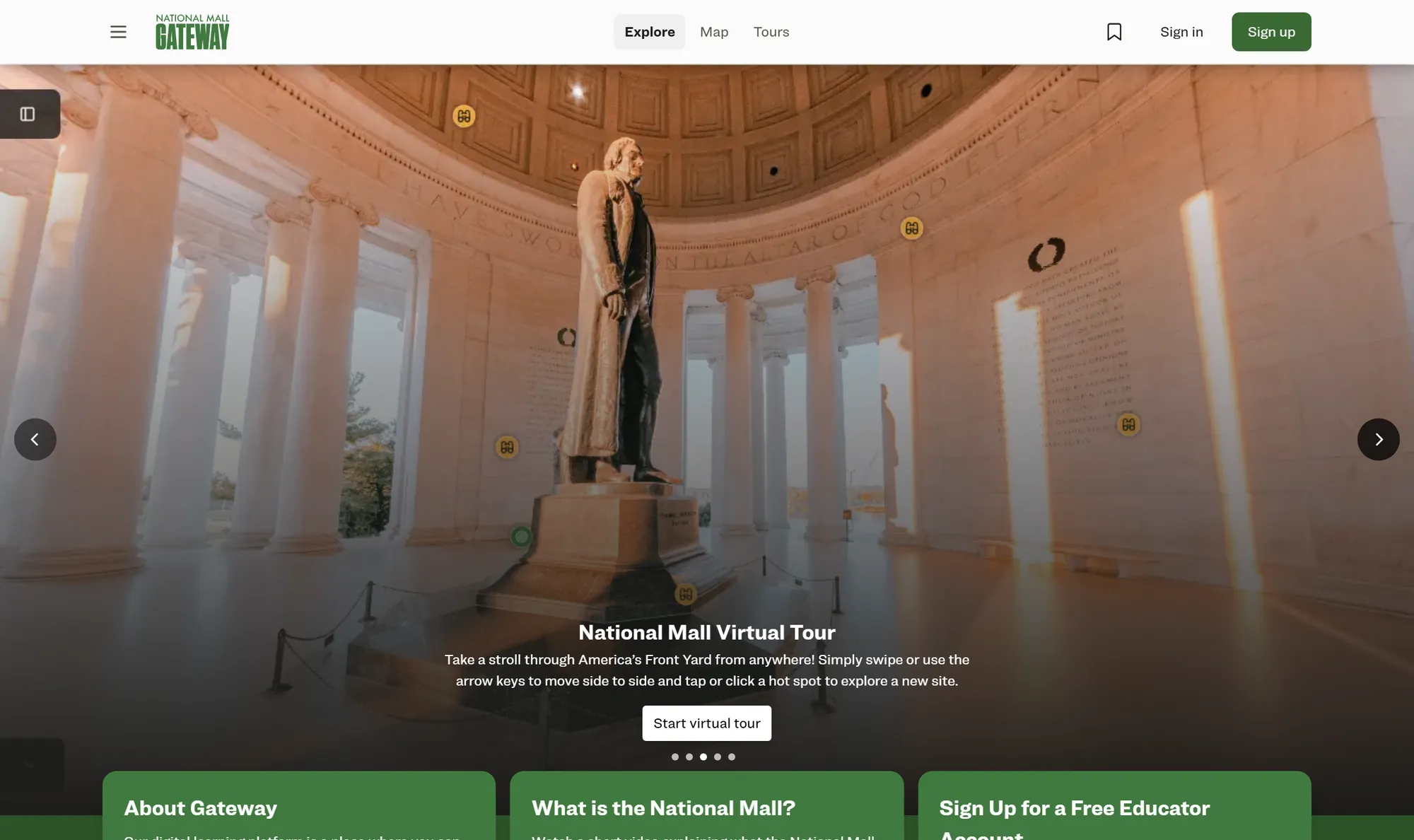
Featured customer story
Centered Networks built the National Mall Gateway, the digital civic education platform for America’s 250th anniversary, on Microsoft Azure. The platform serves 360-degree virtual tours, lesson plans, and accessibility-first features to visitors of the Mall, which expects 50 million people during 2026. We developed a custom generative AI model in Microsoft Foundry to draft educational resources from vetted National Park Service content.
A featured Microsoft Customer Story.
Read the case study →
Use the Opportunity Finder for immediate guidance, or move into a 90-Day AI Roadmap when the organization is ready to align stakeholders, validate use cases, map Microsoft readiness, and sequence the work.